Discord event scheduling
Schedule events for your Discord group: share a poll link in your server, and post new events and decided dates to a channel with Discord webhooks.
If your group lives on a Discord server, that’s where scheduling happens too, and that’s where it gets lost. A “when can everyone play?” message collects a few replies, then the channel moves on. Reactions on a message work for a quick yes or no, but get messy with several dates and times, and nobody is sure whose 7 PM it means.
EventMoot keeps the planning on one page and lets Discord do what it’s good at: telling people. You paste a poll link in your server, members answer on the web, and, on the Ent plan, Discord webhooks post new events and decided dates to a channel you pick.
To be clear about what it is: EventMoot uses Discord webhooks, not a bot. Nothing joins your server, there are no commands to learn, and EventMoot can’t read your channels. A webhook only posts messages into the one channel you created it for.
How to schedule a Discord event
Create the event and its polls
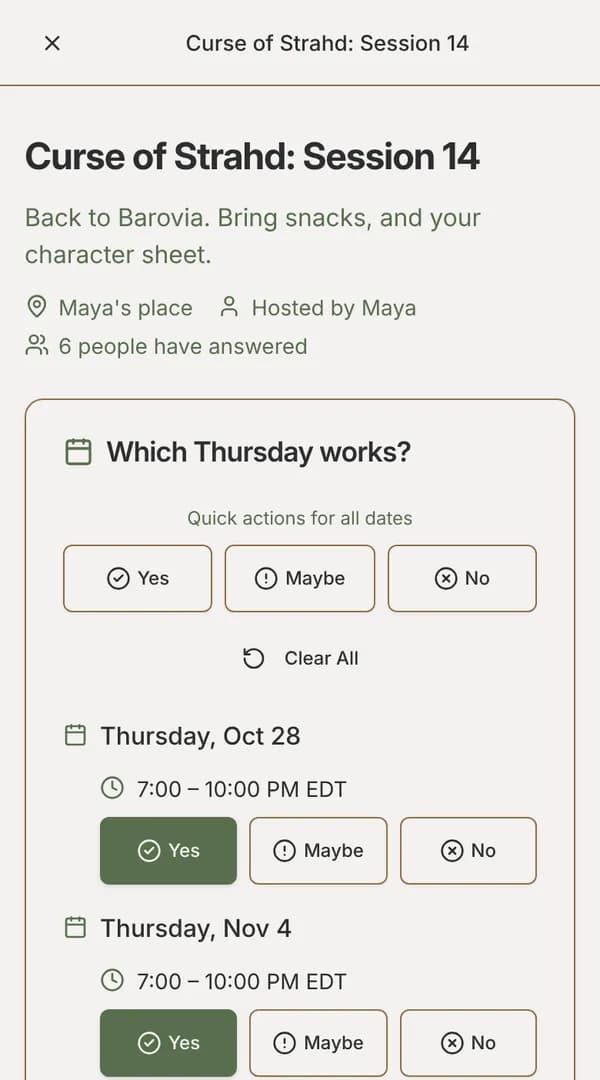
Add a date poll with the days and times you could meet, plus any other questions, such as which game, which campaign, or voice chat or in person. Publishing copies the event’s invite link.
Paste the link in your server
Post the invite link in a channel. It shows up as an invitation card that asks people to vote on a time, without giving away the event’s details. Members open it, mark Yes, Maybe or No on each time in their own time zone, and submit. They don’t need an EventMoot account, and they don’t connect Discord to anything. This part works on every plan.
Connect a webhook
In Discord, open Server Settings, then Integrations, then Webhooks, create a webhook for your scheduling channel and copy its URL. In EventMoot, add it under Settings › Discord and press Test to check a message arrives. Then choose what it posts: new events, decided dates, event changes, poll responses, message board posts and more. Webhooks are an Ent feature.
Post the decision
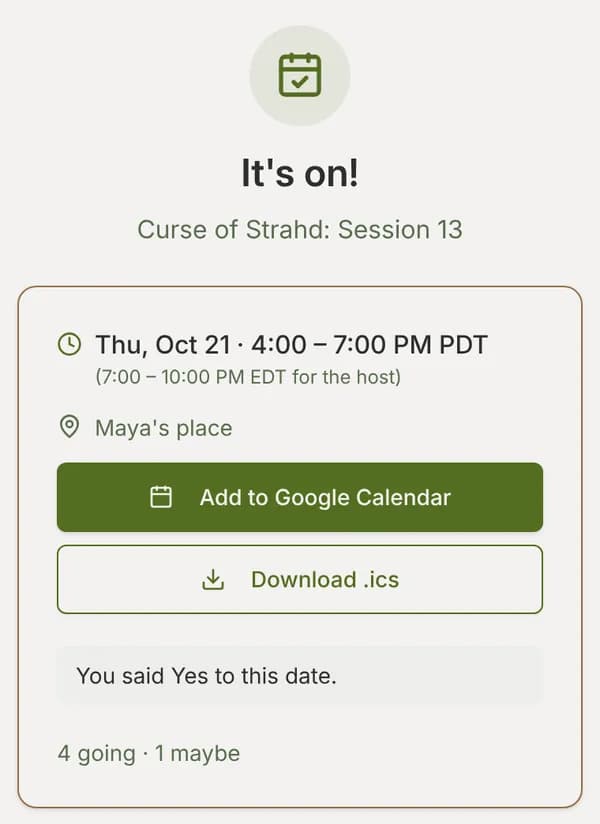
When you finalize the date, the webhook posts it to the channel. Members open the link to see the session in their own time zone and add it to Google Calendar or download an .ics file.
Personal and moot webhooks Ent plan
A personal webhook posts about your own activity: events you organize or attend and the moots you’re in. A moot webhook posts for a whole moot, a group that keeps meeting: all of its events, its message board and new member invitations. Only the moot leader and admins can add one, from the moot’s settings.
Ent ($5/mo or $50/yr) can connect up to 3 webhooks, and a trial counts as Ent. If the plan ends, the webhooks are paused, not deleted, and start posting again when it comes back. On a busy server, turn off poll responses and keep new events and decided dates, so the channel stays readable.
Webhook security
Anyone with a webhook URL can post to that channel, so EventMoot stores the URL encrypted and never shows it again once saved. If one leaks, delete the webhook in Discord and add a new one. A webhook that keeps failing, for example because its channel was deleted, is turned off automatically. The Discord guide has the full setup and troubleshooting steps.
What it costs
Entling, the free plan, covers everything above that isn't marked Ent, with limits on events, polls and people per event. Ent is $5/mo or $50/yr, raises those limits and adds the features marked Ent. The pricing page lists each plan's current limits.
Questions
Is there an EventMoot Discord bot?
No. EventMoot uses Discord webhooks, which post messages into one channel. Nothing joins your server, and voting happens on the poll link, not in Discord.
Is the Discord integration free?
Sharing a poll link in Discord works on every plan, including Entling, the free plan. Webhooks that post updates to a channel are part of Ent, which is $5/mo or $50/yr and includes up to 3 webhooks.
Do members need to link their Discord account?
No. Members answer on the poll page in their browser, with or without an EventMoot account. The webhook only needs to be set up once, by whoever connects it.
What can a webhook post?
You choose per webhook: poll responses, event changes, newly published events, decided dates, invitations, post-event surveys, message board posts, replies and reactions, and account notices.
See it before you sign up
The sample poll is the same poll your group would answer. No account needed, and nothing is saved.